Testing tells us whether our code behaves as expected. Code coverage tells us how much of our code was actually exercised by those tests.
In Rust, one of the easiest ways to measure test coverage is cargo-tarpaulin.
Tarpaulin is a code coverage tool built for Cargo projects, and it can generate reports in formats such as HTML, LCOV, JSON, and XML.
Tarpaulin is one of the most well-known Rust coverage tools and is still widely used. However, it is not the only option. Many newer Rust projects also use cargo-llvm-cov, which builds on LLVM’s source-based coverage support and is often preferred for more accurate reports and broader platform support.
For this article, we use Tarpaulin because it is simple, Cargo-native, and easy to understand when learning Rust testing workflows.
Why the cargo- prefix?
The executable is named cargo-tarpaulin, but the command you type is simply: cargo tarpaulin
Cargo has a plugin mechanism. Any executable on your PATH whose name starts with cargo-<name> automatically becomes a Cargo subcommand.
Examples:
cargo-tarpaulin  →  cargo tarpaulin
cargo-nextest    →  cargo nextest
cargo-expand     →  cargo expand
cargo-watch      →  cargo watch
cargo-edit       →  cargo add
cargo-audit      →  cargo audit
When you run: cargo tarpaulin. Cargo internally looks for an executable called: cargo-tarpaulin and executes it.
This is why installation is: cargo install cargo-tarpaulin
Installing Tarpaulin
Install it with Cargo and run it inside a rust project.

Example Walkthrough
Create a small library
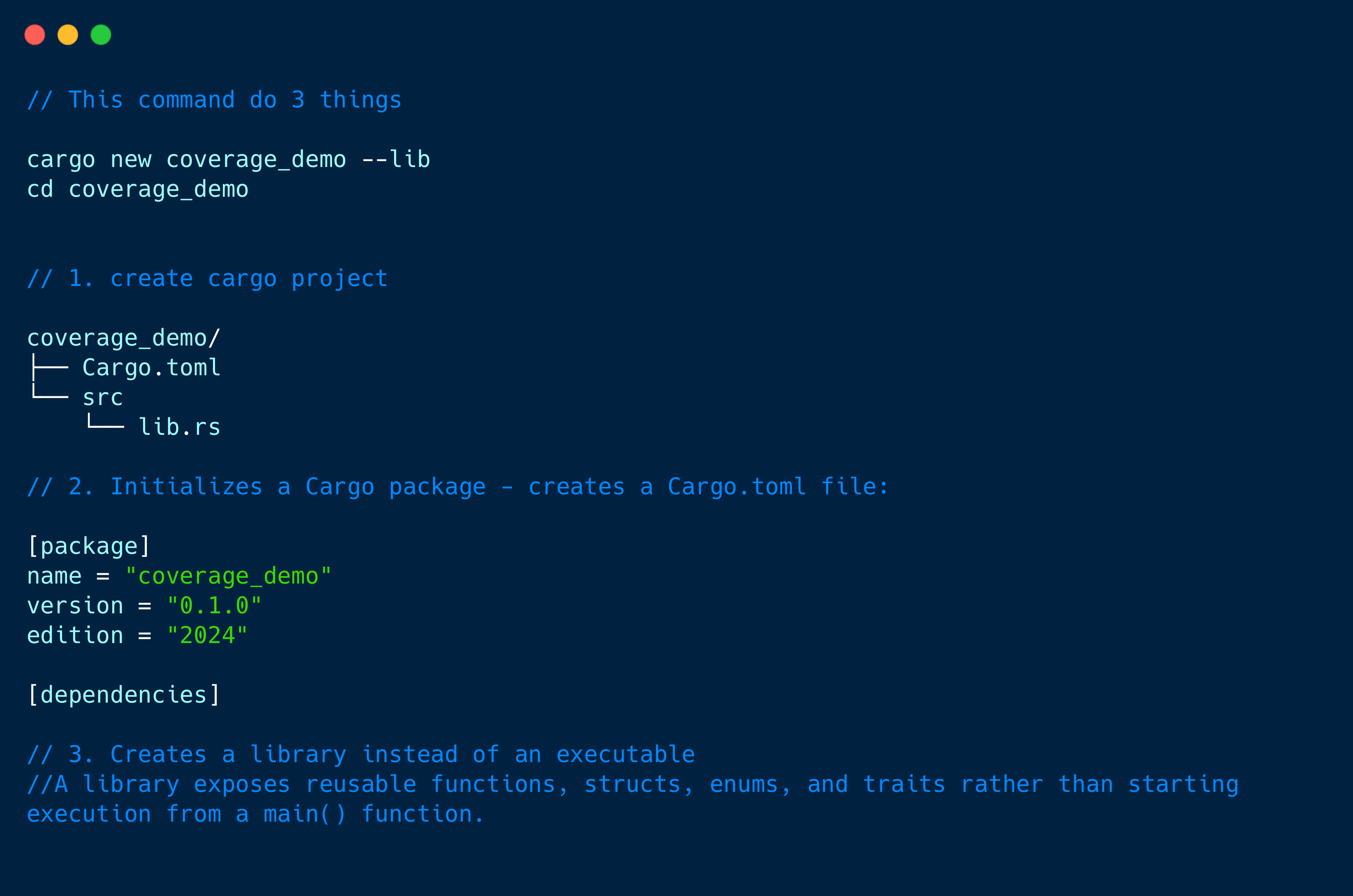
Update
src/lib.rs:
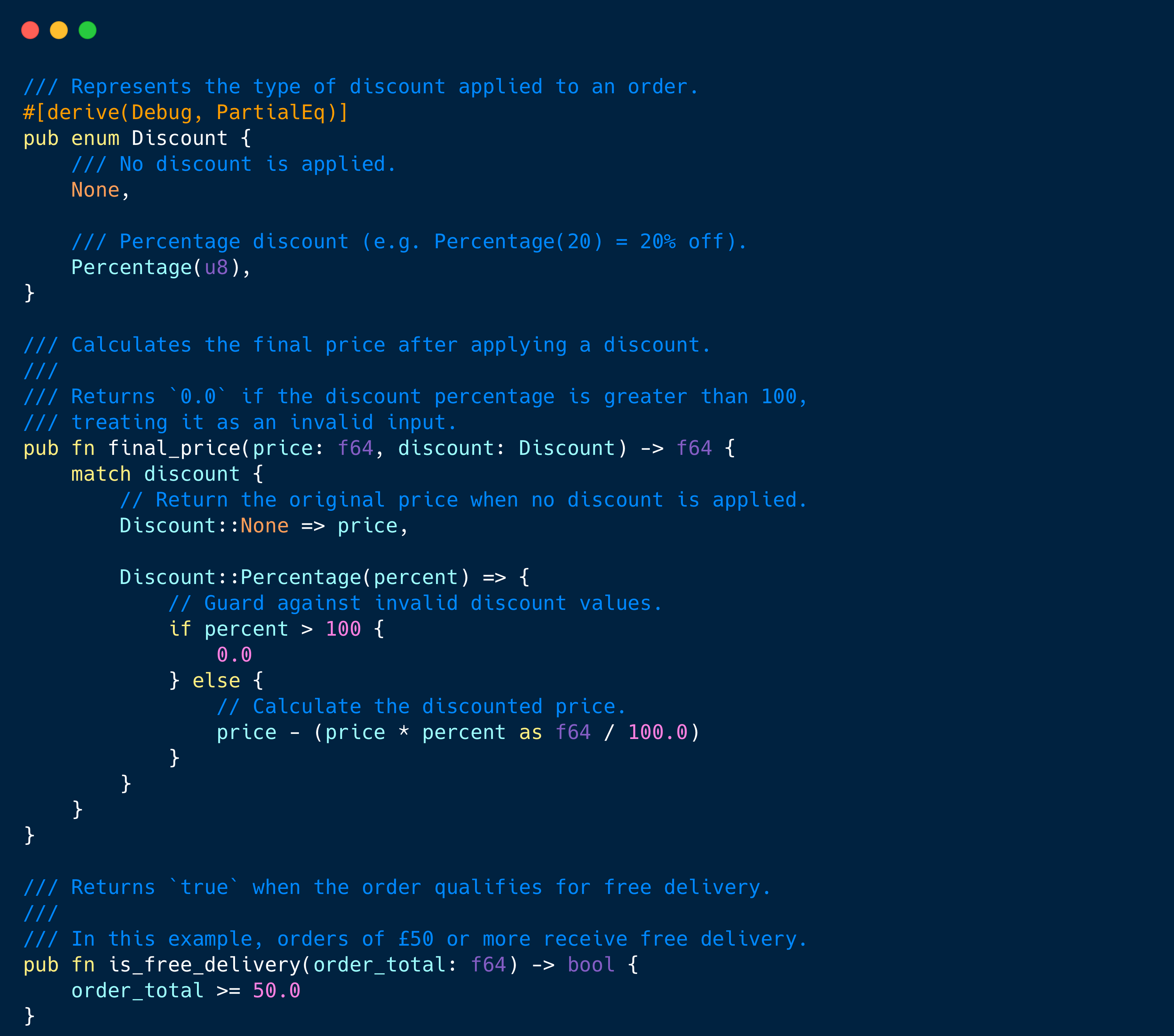
#[derive(Debug, PartialEq)]is a derive attribute that tells the Rust compiler to automatically generate implementations of certain traits for your type.Instead of writing lots of boilerplate code yourself, the compiler does it for you.
Debugallows your type to be printed for debugging.PartialEqallows values to be compared using==and!=.Without this, the compiler complains because it doesn’t know how twoDiscountvalues should be compared.
Why is PartialEq useful in tests?
Consider this example
#[test]
fn no_discount() {
    let discount = Discount::None;

    assert_eq!(discount, Discount::None);
}
assert_eq! internally uses ==. That means Discount must implement PartialEq, otherwise this test won’t compile.
Add tests in the same file
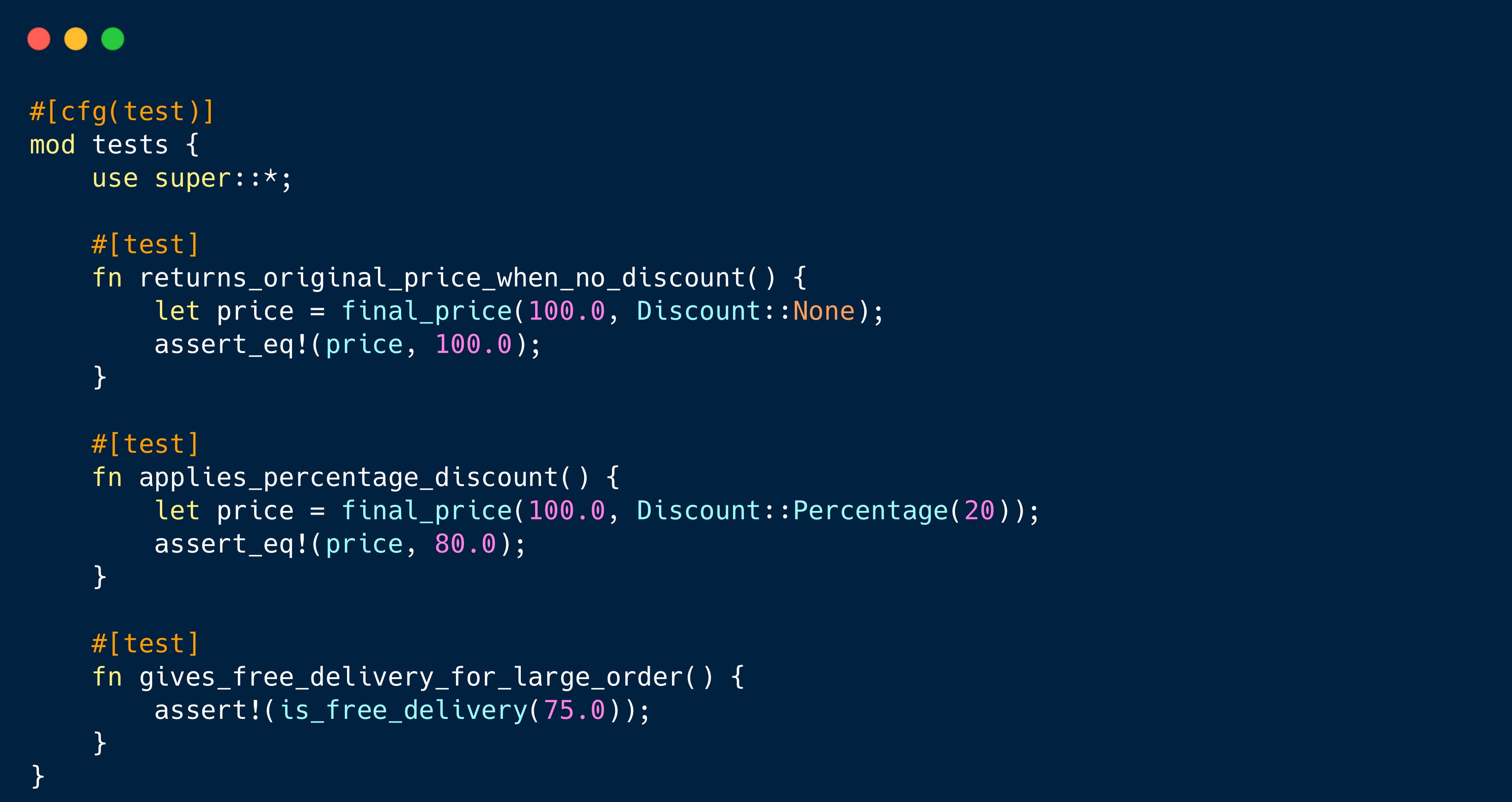
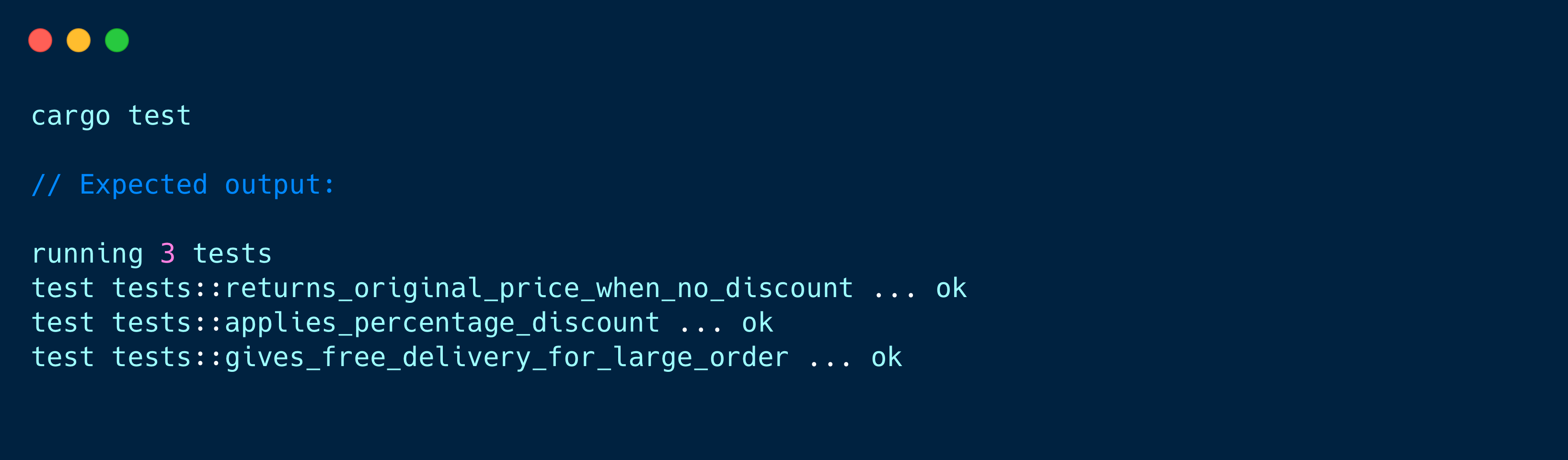
Run the tests first:
Running Coverage
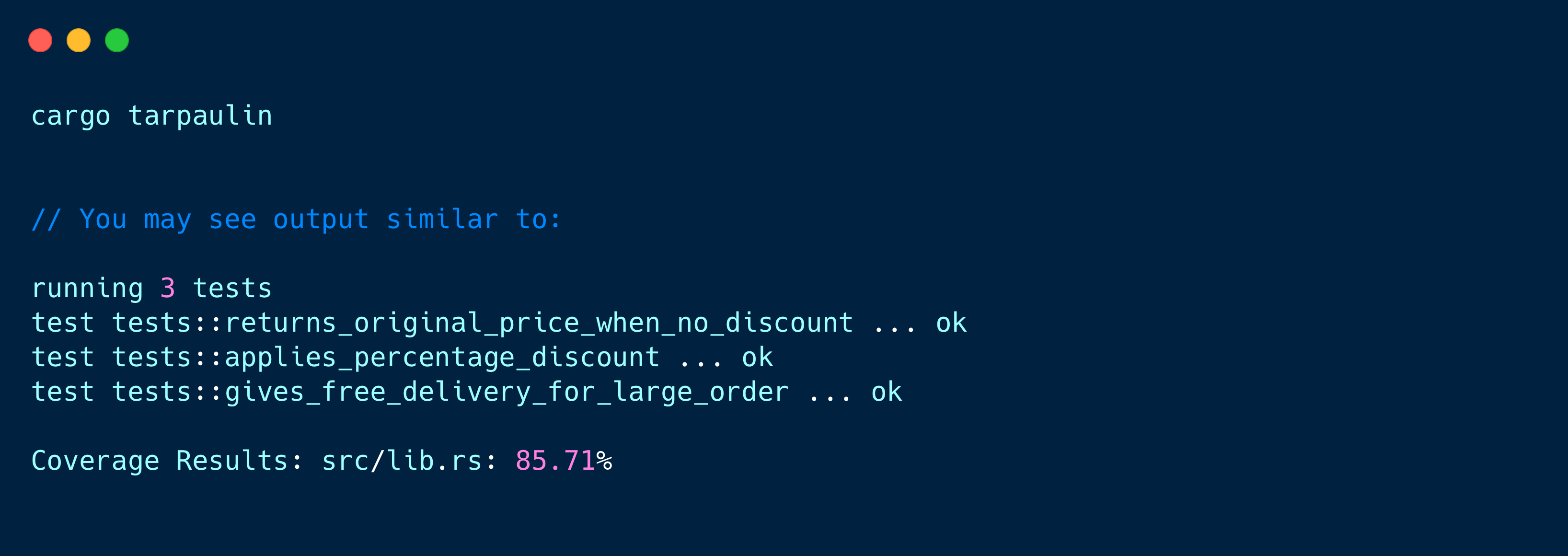
Generating an HTML Report
Text output is useful in CI, but HTML is easier when reviewing coverage locally.
cargo tarpaulin --out html //This generates an HTML Cov. report - tarpaulin-report.html
The HTML report lets you browse the source files and see which lines were executed. Covered lines are usually highlighted differently from uncovered lines, making it easy to identify missing test paths.
Example screenshot from different project
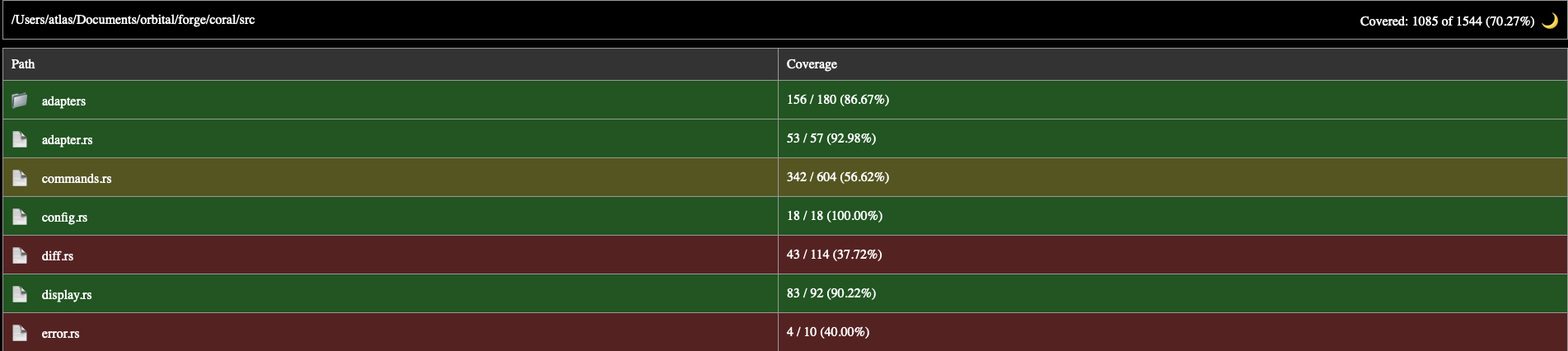
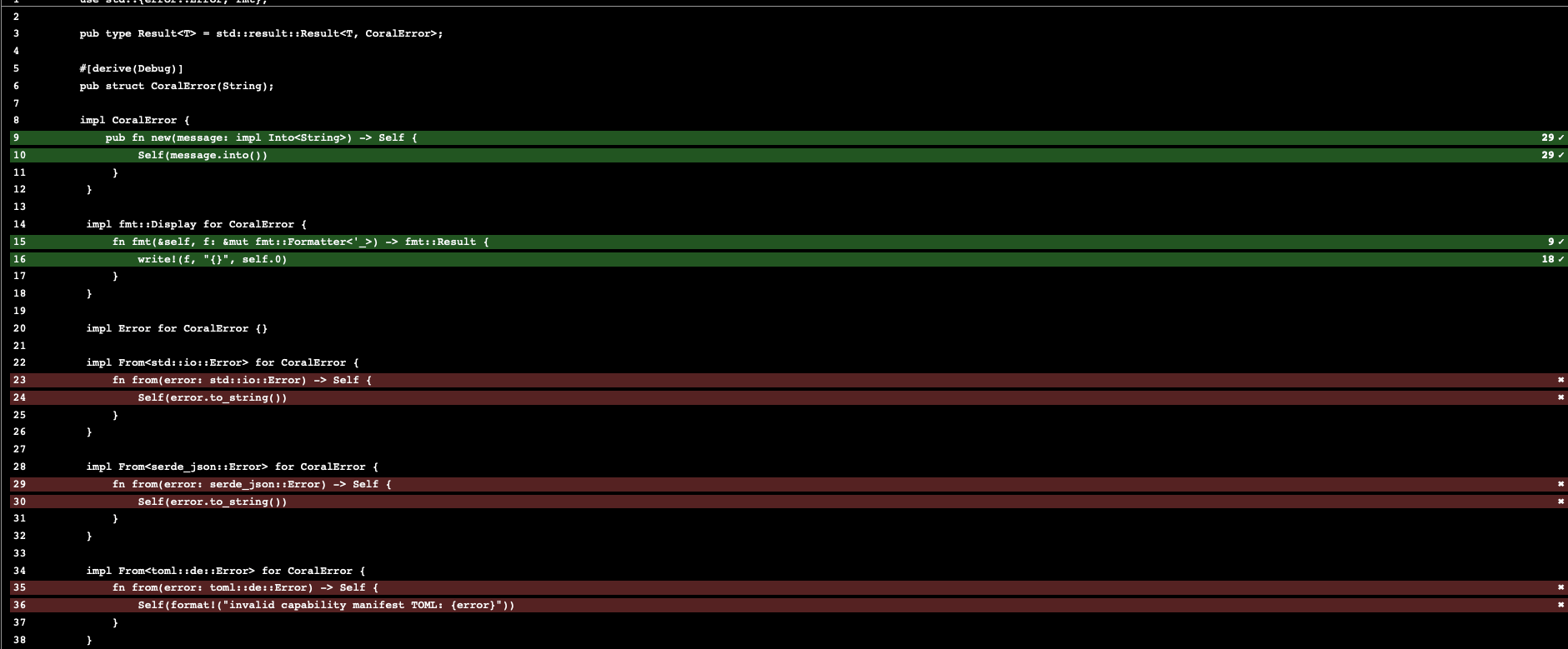
A typical Tarpaulin HTML report shows:
Overall project coverage percentage
File-level coverage
Source code with line highlighting
Covered lines
Missed lines
Branches or paths that need more tests
Using Tarpaulin in CI
For CI systems, LCOV output is commonly used:
cargo tarpaulin --out lcovThis creates an LCOV report that can be uploaded to tools like Codecov or Coveralls. There is also a GitHub Marketplace action for running Tarpaulin in GitHub Actions.
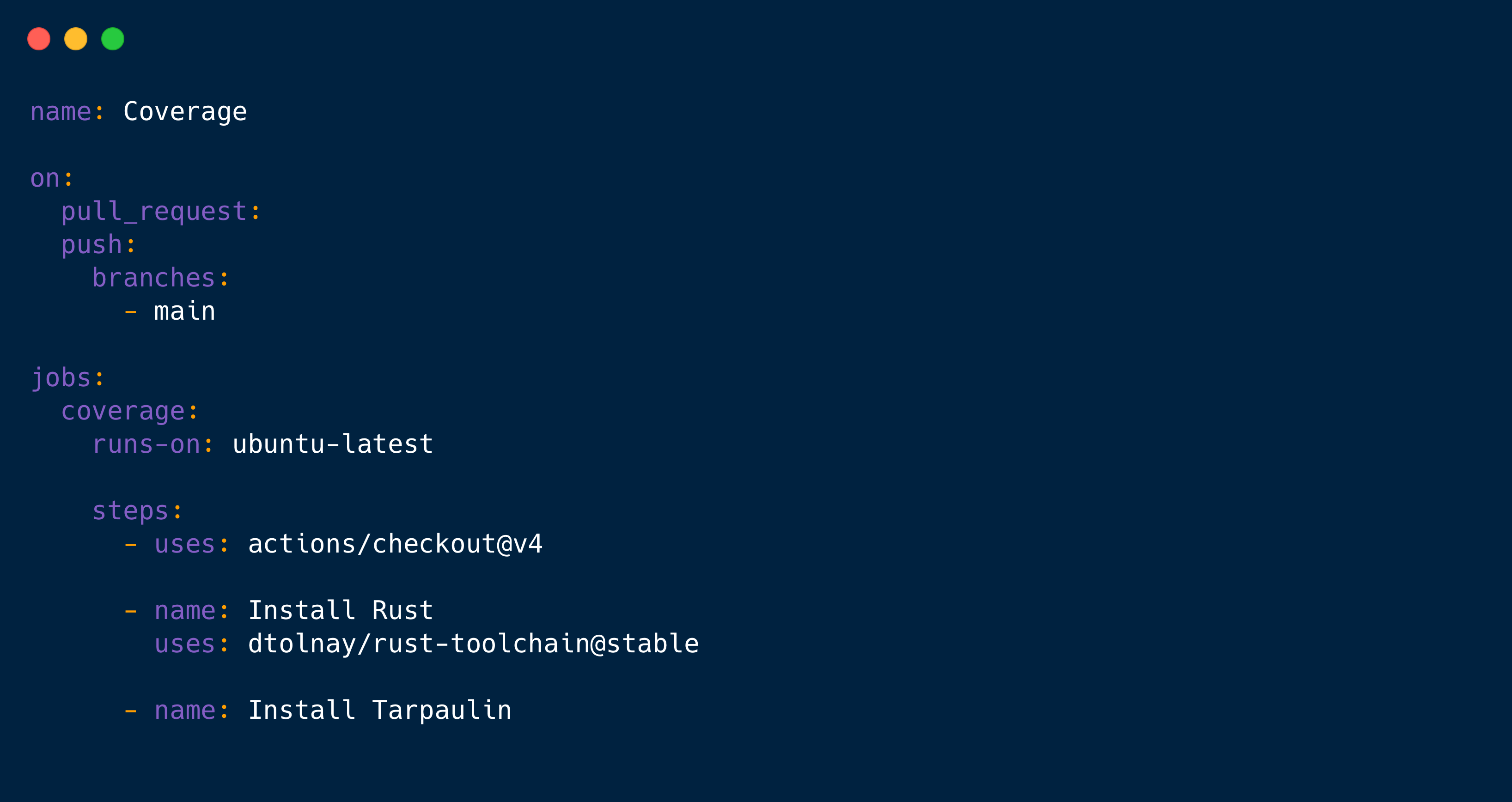
A simple GitHub Actions workflow: